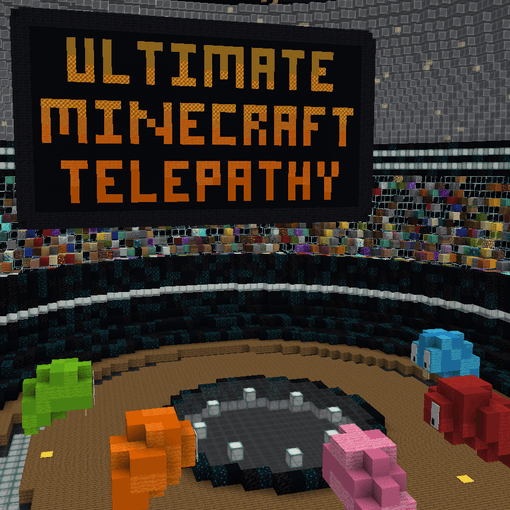
To download this game, and read exactly the same information on a different website, head over to my patreon:
https://www.patreon.com/posts/ultimate-144936499
Welcome to Ultimate Minecraft Telepathy!
A game inspired by the improvised telepathy game, with extra features and modes, both team-based and competitive!
To learn about the different modes, right click the different signs inside the map.
Installations
To get started with the game, you will need:
-
Minecraft 1.21.10
-
A spigot server (PaperMC recommended: https://papermc.io/downloads/paper)
-
The plugin file (`UltimateMCTelepathy-1.0-SNAPSHOT.jar`)
-
The world zip file (`UltimateMCTelepathy.zip`)
-
The protocollib plugin, version 5.4.0 or higher (https://www.spigotmc.org/resources/protocollib.1997)
To set everything up:
-
Extract the world zip file into the same directory as the papermc server jar.
-
Place both the protocollib plugin, and the UltimateMCTelepathy plugin files in the plugins directory of your server.
-
Enjoy!
Note - The default world that is used by the game is UltimateMCTelepathy. As such, it will not override or interact with any of the other worlds on your server. However, it is still recommended to use the plugin in a separate server, to avoid world corruption or creative mode exploitation. AKA - might not be SMP friendly.
Features
-
Block Hider - No more accidentally showing your block to the other players! The game will automatically hide all held blocks, and placed blocks.
-
Lock In - Changed your mind? No worries! You may change the block you chose any time before the timer runs out, or until you lock your block in using the lock in key item.
-
Anti Repeat Protection - The game will automatically prevent players from using blocks that have been used in previous rounds.
-
Timers and Scoreboard - The game automatically tracks time, to sync everyone's answers up, and score, to see how well you did!
Commands
/timer <set|add|pause|default> [time] - can be used to control the timer. set and add change the current time left on the timer using the time specified in seconds. pause pauses/unpauses the timer. default changes the default round duration, if you want to make it shorter/longer.
/maxrounds [count] - Use this command to set the max number of rounds for minecraft telepathy. Can be useful for more difficult modes. This command can be used mid game as well. Once the maximum round has been reached, the game will end even if all the players didn’t place the same block. The default value for this is 50.
Wanna Use Your Own Map?
No problem! Simply set the value of custom_map_enabled to false in the plugin’s config (located in the plugins/UltimateMCTelepathy folder).
If you want to use a screen, use the /setscreen command and specify the screen number (there are 2 screens used in the game) and a 16x16x1 area to be used for the screen.
Once you’re ready to play a game, make sure all of the players are standing on their starting platform, and run the /telepathy command, specifying the mode you want to play, and the participating players.